
Most People Use ChatGPT Wrong
Most people treat ChatGPT like a search engine.
They ask a question.
They get an answer.
And then they spend time rewriting it because it doesn’t sound like them.
That’s not leverage. That’s extra work.
Here’s the truth:
ChatGPT becomes powerful when it stops sounding like AI… and starts sounding like you.


And that only happens when you customize it properly.
This guide will show you exactly how to do that using two features most people ignore:
- Custom Instructions
- The “More About You” section
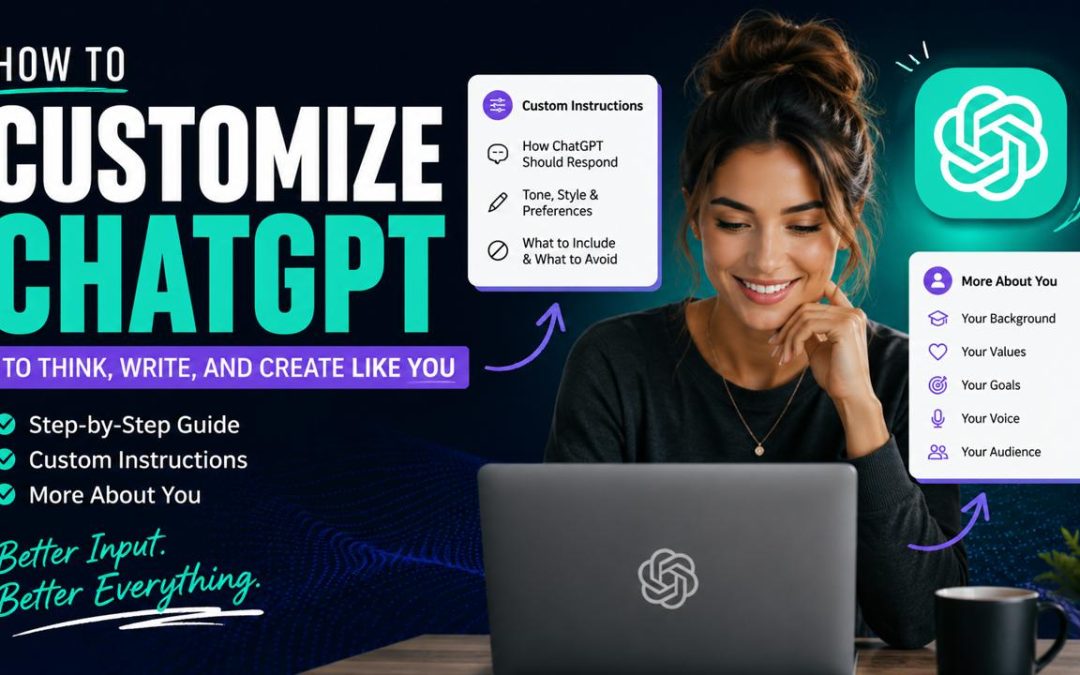
Step 1: Understand the Two Layers of ChatGPT Personalization
Before you start typing anything, you need to understand this:
Custom Instructions = how ChatGPT behaves
More About You = who ChatGPT thinks you are
If you only fill out one, your results will feel incomplete.
You need both working together.
Think of it like this:
Custom Instructions are the rules.
More About You is the personality.
Step 2: Use This Prompt to Build Your Custom Instructions
Most people get stuck here because they try to “figure it out” on their own.
Don’t.
Use this prompt to let ChatGPT guide you:
Custom Instructions Builder Prompt
(Copy and paste the following prompt into your ChatGPT)
Help me create highly effective Custom Instructions for my ChatGPT. Ask me the right questions first, one section at a time, so we can build this properly.

Break it into these categories and guide me through each:

1. Who I am and what I do
2. How I think and make decisions
3. My communication style
4. What I want from ChatGPT
5. What to avoid

After asking me all questions, compile everything into a clean, optimized Custom Instructions response that I can paste directly into my settings.
Why This Works
Instead of guessing what to write, you turn ChatGPT into an interviewer.
Better questions → better answers → better outputs.
Common Mistake to Avoid
If your answers are vague, your results will be generic.
Be specific.
Don’t say:
“I like clear responses.”
Say:
“I prefer short, punchy responses with actionable steps and no fluff.”
That level of clarity changes everything.
Step 3: Use This Prompt to Fill Out the “More About You” Section
This is where your voice gets locked in.
“More About You” Builder Prompt
(Copy and paste the following prompt into your ChatGPT)
Help me fully define the “More About You” section so ChatGPT can think, write, and create more like me.

Ask me deep, specific questions one at a time to extract the following:

1. My identity and life context
2. My values and beliefs
3. My audience
4. My voice and emotional tone
5. My goals and direction
6. My preferences when working with ChatGPT

After collecting all answers, turn everything into a clean, powerful section that feels natural, human, and specific to me.
What Most People Get Wrong
They try to sound impressive instead of being real.
That kills the entire process.
This section only works if you tell the truth about how you think, how you struggle, and how you communicate.
Example (Weak vs Strong)
Weak:
“I help people grow and improve their lives.”
Strong:
“I work with people who overthink everything. They know what to do, but they stay stuck in their heads. I help them move into action.”
The second one gives ChatGPT something it can actually use.
Step 4: Upgrade Your Results with This Power Move
Once both sections are complete, run this:
Based on everything I told you, what am I not saying that would make these instructions even more powerful?This uncovers blind spots.
Then ask:
Describe my voice, brand, and thinking style in one paragraph.And finally:
Create a Voice Calibration Guide so all content sounds like me.Now you’re not just using ChatGPT.
You’re building a system that scales your thinking.
Step 5: What Happens When You Do This Right
When ChatGPT is properly customized:
- You stop rewriting everything
- Your content sounds consistent across platforms
- Ideas come faster
- Execution becomes easier
Instead of fighting the tool… it starts working with you.
Final Thoughts: This Isn’t About Prompts. It’s About Clarity.
Most people think they need better prompts.
What they actually need is better self-definition.
Because ChatGPT can only reflect what you give it.
If you’re vague, it’s vague.
If you’re clear, it becomes powerful.
FAQ
Q: How do I make ChatGPT sound like me?
A: By filling out Custom Instructions and the “More About You” section with specific details about your voice, thinking style, and preferences.
Q: What are ChatGPT Custom Instructions?
A: They allow you to define how ChatGPT should respond, including tone, structure, and level of detail.
Q: Why are my ChatGPT responses generic?
A: Because your inputs are likely too vague. The more specific your instructions, the better the output.
If you want help turning your voice, message, and ideas into scalable systems powered by AI, contact us.